 DuoCam
Front and back camera, one video
Film what's in front of you and your reaction at the same time. DuoCam records both cameras together into a single video file, as picture-in-picture or split screen, ready to share. No editing, no stitching, no watermark.
- Picture-in-picture
- Split screen
- Dual photo
- Teleprompter
- No watermark
Free: picture-in-picture and split screen, 720p at 30 fps, dual photos, one teleprompter script. No account. Videos stay on your phone.

Scan to download
Point your Android phone's camera here to open DuoCam on Google Play.
 REC both cameras
One MP4 file
Built for two cameras at once
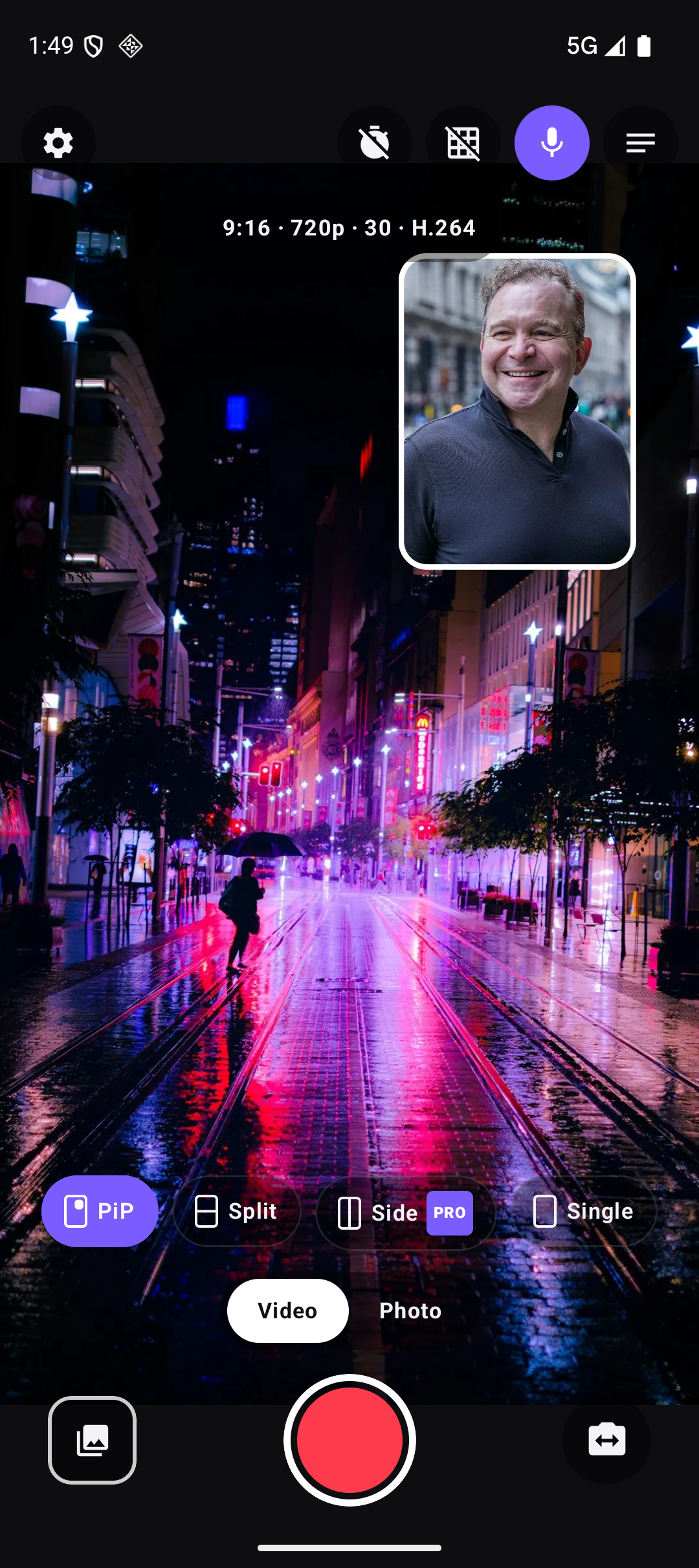
DuoCam opens straight on the camera. Layout, format and the teleprompter are one tap away and get out of the way when you record.
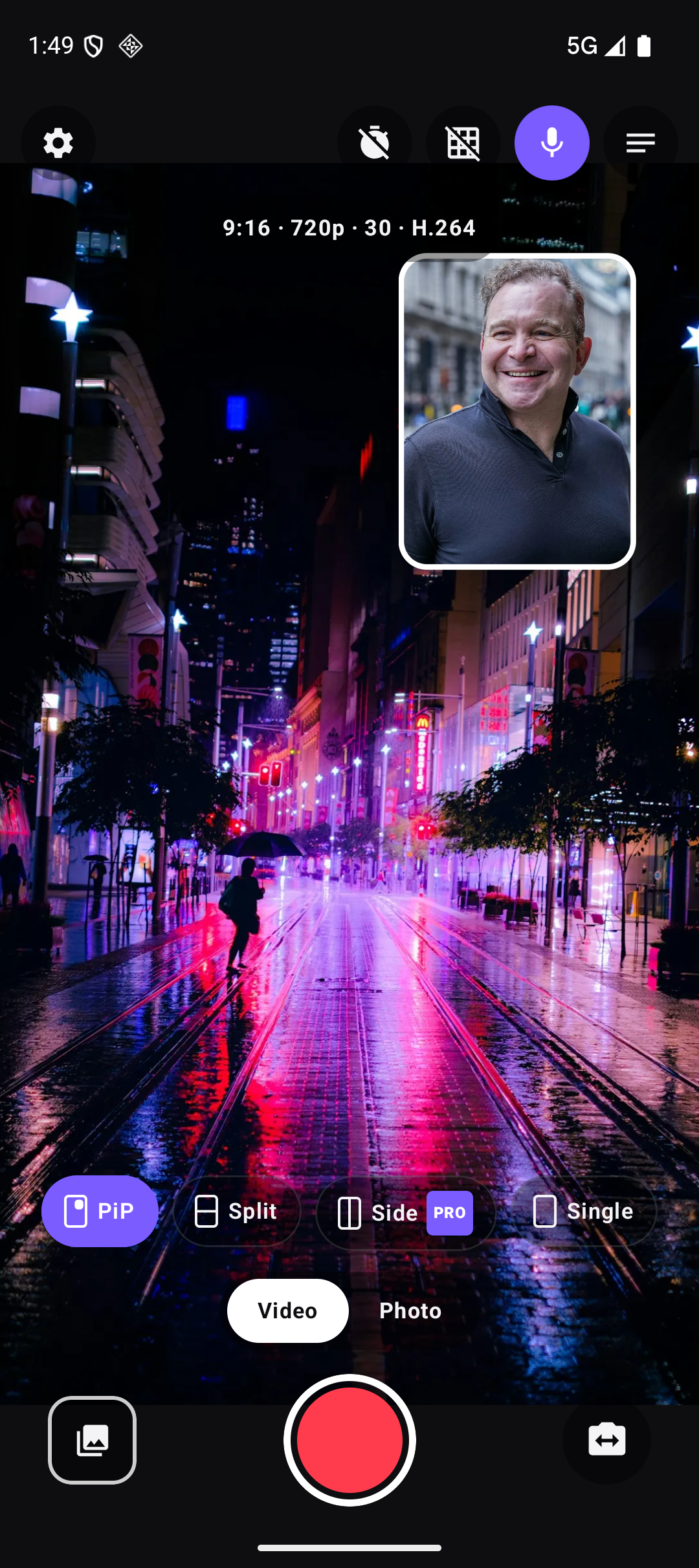
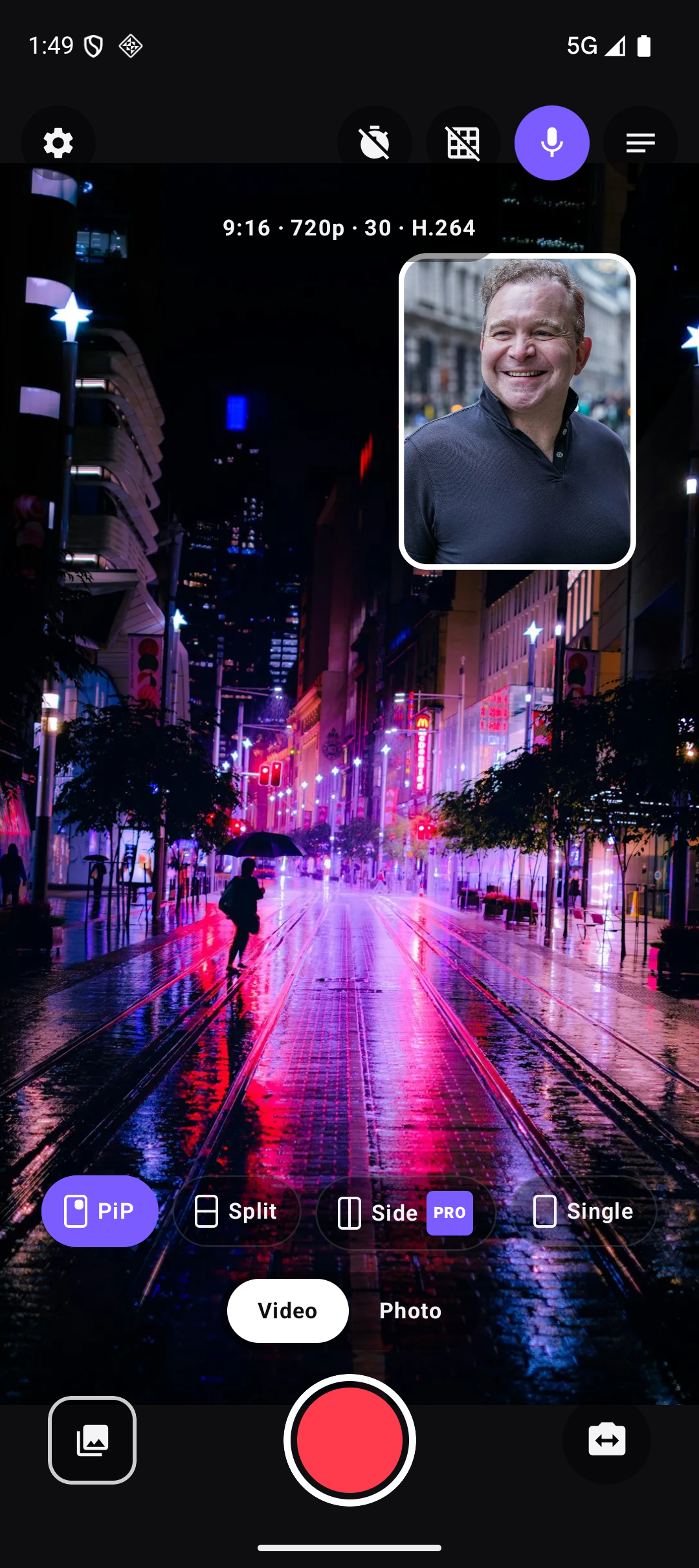
Demo photos in these screenshots: Daniel Roe, Marcos Paulo Prado, Soheb Zaidi, Sophie Paterson, micheile henderson, Wellington Ferreira on Unsplash.
Pick how the two cameras share the frame
The layout you see is the layout that is recorded. Switch it before you start, swap which camera is big, and mirror the front camera if you prefer.
Move the small window
- Drag the picture-in-picture window anywhere
- Pinch to make it bigger or smaller
- Let go and it snaps to the nearest corner
- Pro: a round window and border colours
Swap and mirror
- Swap which camera fills the screen with one tap
- Mirror the front camera, so it looks like a mirror
- Works in every layout
When a phone can't run two
Recording both cameras at once needs a phone that supports concurrent cameras. If yours does not, DuoCam tells you and records with one camera, with a swap button to flip between front and back.
Everything you need on the record screen
Format
- Free: 9:16, 720p at 30 fps, H.264
- Pro: 16:9 and 1:1, 1080p, 60 fps and 4K
- Pro: HEVC (H.265) and a high-bitrate option
- 60 fps and 4K record with one camera
- Storage estimate, such as "1 h 55 m left"
Camera controls
- Zoom and tap to focus
- Torch
- 3 s or 10 s timer
- Grid
- Microphone on or off
- Pro: time-lapse at 1, 2 or 5 fps
Teleprompter
- Your script scrolls on screen while you talk to the camera
- Set the speed and the text size
- It is never recorded into the video
- One script free, unlimited with Pro
Dual photo and gallery
- Take a photo with both cameras in one JPEG
- Videos go to Movies/DuoCam, photos to Pictures/DuoCam
- Built-in gallery: play, share, delete or open in Photos
No watermark, even on free
The free version records both cameras with no watermark and no account. It shows ads, but never while you record or count down. DuoCam Pro removes the ads and adds the layouts and formats below. It is an optional Google Play purchase: monthly, annual, or one lifetime payment. Prices are shown by Google Play for your country.
| Free | Pro | |
|---|---|---|
| Layouts | Picture-in-picture, split top and bottom | Plus side by side, circle PiP, PiP border colours |
| Aspect ratio | 9:16 | Plus 16:9 and 1:1 |
| Quality | 720p, 30 fps | Plus 1080p, 60 fps and 4K (60 fps and 4K with one camera) |
| Codec | H.264 | Plus HEVC (H.265) and high bitrate |
| Time-lapse | — | 1, 2 or 5 fps |
| Teleprompter scripts | 1 | Unlimited |
| Dual photo, swap, mirror, timer, grid | Yes | Yes |
| Watermark | None | None |
| Ads | Banner in gallery and settings; occasional full-screen ad, never while recording | None |
Your videos stay on your phone
DuoCam has no account and no cloud. Everything you record is saved to your own storage and never uploaded. The free version shows ads through Google AdMob, and the app sends usage and crash reports, which you can switch off in Settings.
Read the privacy policyFAQ
Does it really record both cameras into one file?
Yes. On a phone that supports running the front and back cameras at the same time, DuoCam composes both into one MP4 as it records, in the layout you chose. There is nothing to stitch afterwards.
Why does only one camera work on my phone?
Some phones cannot run two cameras at once; that is a limit of the phone's hardware or software, not a setting. DuoCam detects it and records with one camera, with a swap button to switch between front and back. See Support.
Is the teleprompter text recorded?
No. The script is drawn on your screen only. The saved video shows the cameras and nothing else.
Is there a watermark?
No, not on free and not on Pro.
Where are my videos?
Videos are in Movies/DuoCam and photos in Pictures/DuoCam, where your gallery app sees them. The in-app gallery shows them too.
Why is 4K or 60 fps single camera?
Running two camera streams at 4K or 60 fps is more than phones can handle, so those formats record with one camera.