 DuoCam
You do not need a camera bag to start a vlog. A single Android phone that records its front and back cameras at once gives you the two shots every vlog needs, the place and the person, in one file. This guide explains a simple shooting method with DuoCam, how to plan a short vlog, how to get clear sound and good light, and how to keep the phone cool and the battery alive on a full day out.
The dual camera method
Every vlog alternates between two kinds of shot: the world (where you are, what you see) and the vlogger (your face, telling the story). With a single camera you switch between them by turning the phone around, and the cut is visible: the picture spins, the sound changes, the moment is gone. With dual recording you capture both all the time, and you only decide how they share the frame.
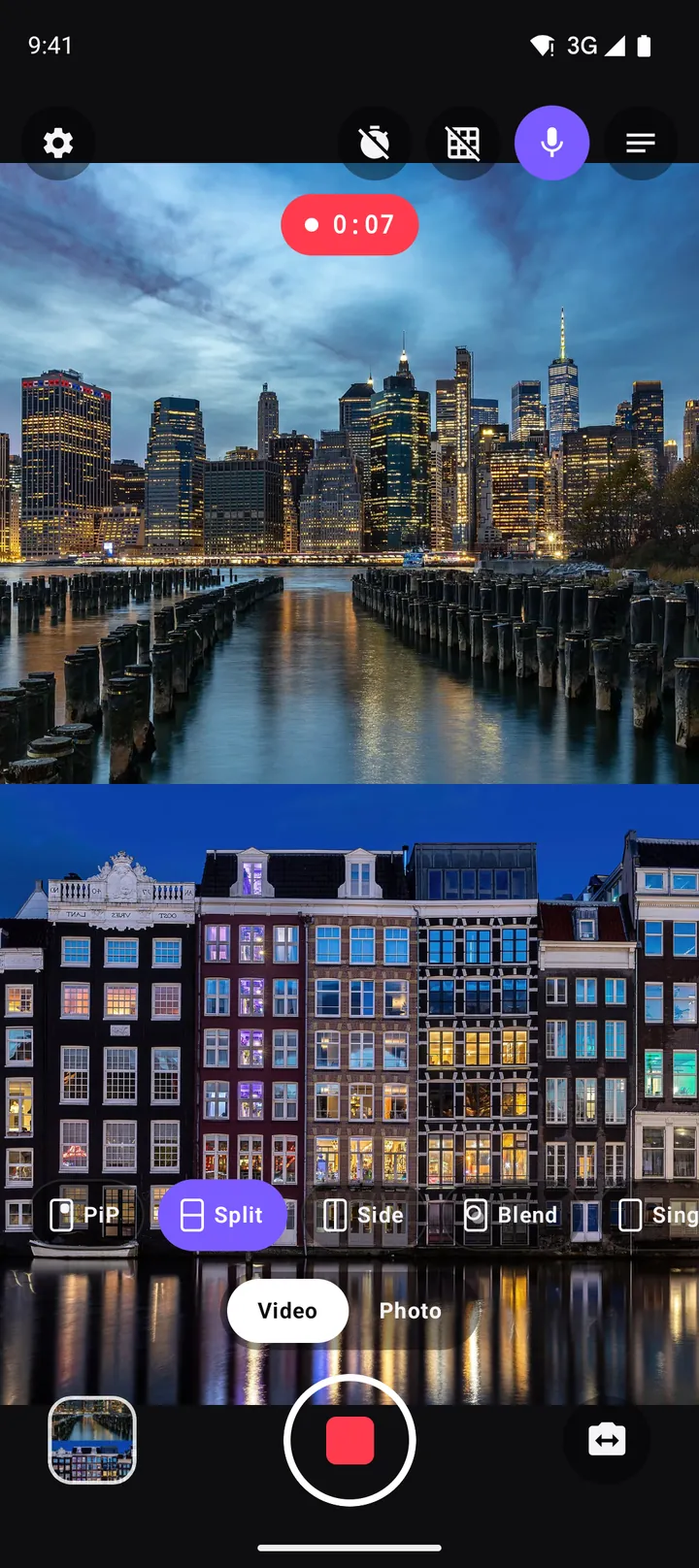
DuoCam records the back camera and the front camera together into one MP4. You can show them in picture-in-picture, as a split screen, or with Pro side by side or blended. Switching the layout or swapping the cameras during a take crossfades smoothly in the video, which gives you the feel of an edited vlog without opening an editor.
What you need
- A phone that supports concurrent cameras. Many recent Android phones do. DuoCam checks automatically; see the compatibility guide if yours does not.
- Enough free storage. DuoCam shows an estimate such as "1 h 55 m left" on the record screen.
- Optional extras: a small grip or selfie stick, a mini tripod, a power bank, and a clip-on microphone if you speak in noisy places.
That is it. No second camera, no editing app needed to put the shots together.
Plan a short vlog in five shots
Short vlogs (30 seconds to 3 minutes) perform best on Shorts, Reels and TikTok, and they are easier to make well. A simple plan with five takes:
- Hook (5 s). Your face big in PiP, the place small: one sentence that says why this day is worth watching.
- Arrival (10–20 s). Swap so the place fills the frame; describe what you see from the small window.
- Detail (10–20 s). Split screen: something close up on the back camera (food, a sign, a view), your reaction on the front.
- Moment (10–30 s). The highlight, the reason you came. Let it play with little talking.
- Wrap-up (5–10 s). Back to your face: what you learned, and what is next.
Write the hook and wrap-up lines in the teleprompter if you get nervous. It scrolls over the viewfinder and is never recorded.
Holding the phone
In dual recording both cameras move together, so steady hands pay off twice:
- Hold the phone with two hands when you can, elbows tucked against your body.
- Walk with soft knees and shorter steps; the bounce of a normal stride shows up in both cameras.
- For selfie distance, hold the phone a little above eye level, angled slightly down. The back camera then films the path ahead instead of the sky.
- Use the timer or the volume keys (enable in Settings) to start and stop recording without tapping the screen, which helps on a selfie stick or tripod.
Picking a layout for each moment
PiP for most of the vlog
Picture-in-picture keeps the world big and you small. Drag the window into a corner, pinch it to size, and let it snap. Go to the top left for vertical videos: captions and buttons on TikTok and Reels usually cover the bottom and the right. The PiP guide has more framing tips.
Split for reactions and conversations
When your reaction is part of the story (tasting, laughing, being surprised), use split screen so your face gets as much room as the scene.
Single camera when you need it
Some moments are better with one view, for example a wide landscape. Choose the single layout, and switch back to dual when you start talking.
Light: the one thing that changes everything
The two cameras face opposite directions, so they see different light. Outdoors, the best position is with the sun to your side: the scene is lit and your face gets light from one side, which looks natural and avoids squinting. With the sun behind you, your face is dark; with the sun in front of you, the back camera looks into the shade.
When the brightness is uneven, tap the area you care about to set focus and exposure for it, and drag the sun slider to fine-tune. A long-press locks focus and exposure so the picture stays steady as you walk past bright windows or under trees. The exposure guide explains both controls.
Indoors, face a window or a lamp. Turn on the torch for the back camera in dark places, but remember it does not light your face.
Sound: clear voice, real atmosphere
Viewers forgive soft pictures but not bad sound. DuoCam records the phone's microphone, in sync with both cameras:
- Speak towards the phone from a steady distance; arm's length is fine in quiet places.
- In wind, shield the bottom of the phone with your hand or turn your back to the wind.
- In loud places, move closer to the phone, or use a microphone that your phone supports.
- If you plan to add music and a voice-over later, turn off the microphone on the record screen to record silent clips.
Battery, storage and heat on a long day
Two cameras and a video encoder work the phone hard. A few habits keep you recording all day:
- Record short takes. Five takes of 30 seconds use far less power and heat than one 15-minute recording, and they are easier to share.
- Choose 720p for long sessions. The free 720p 30 fps H.264 format is light on the phone and perfect for vertical video. Keep 1080p (Pro) for the key moments.
- Keep the phone out of direct sun between shots, and remove a thick case on hot days.
- Carry a power bank. Charge between locations, not while recording in the heat.
DuoCam watches the phone's temperature. If it gets hot, a warning appears; if it gets hotter, the recording stops and is saved safely. If storage runs very low during a take, the clip is saved too. And if a recording is interrupted, for example because the app was closed in the middle of a take, DuoCam recovers the clip the next time it opens.
Share-ready in minutes
Your takes are in Movies/DuoCam and in the in-app gallery. Upload a single take as a Short or Reel straight away, or put several takes together in any editor. Since layout changes and swaps are already in the video, a simple cut-and-join is enough. There is no watermark to hide.
One-phone vlog checklist
- Storage: at least 30 minutes left at your format.
- Battery: above 60 %, power bank in your bag.
- Lens: wipe both cameras. The front camera gets fingerprints all the time.
- Layout: PiP or Split chosen, the window in a safe corner.
- Script: hook and wrap-up in the teleprompter.
- Sound: microphone on, no wind in the bottom of the phone.
Vlog ideas to start with
- A day in your city: breakfast, commute, lunch spot, evening view, each as a short dual take.
- Hike or walk: the trail ahead in PiP, your commentary in the window, Split for the view at the top.
- Market or food street: Split for every taste test.
- Travel day: packing, the station or airport, the first look at a new place.
- Hobby progress: your garden, a painting, a guitar song, filmed every week from the same spot.
Keep going: consistency beats gear
The vloggers who grow are rarely the ones with the best equipment. They are the ones who post regularly and get a little better each time. A phone that records both cameras removes the biggest excuse, the setup, so you can film whenever something interesting happens. Watch each vlog back once, pick one thing to improve next time (light, sound, a better hook), and post. After ten short vlogs, compare the first and the last: the difference is usually striking.
Frequently asked questions
Can I vlog with only my phone?
Yes. A phone that records its front and back cameras together gives you both vlog shots, you and the place, in one video. DuoCam does this on Android without any extra gear.
What is the best layout for vlogging?
Picture-in-picture for most shots, with the scene big and your face in a corner, and split screen for reactions where your face matters as much as the scene.
How long can I record with DuoCam?
There is no time limit. The record screen shows how much storage is left, and DuoCam stops and saves safely if the phone gets too hot or storage runs out.
Does dual camera recording drain the battery faster?
Yes, running two cameras uses more power than one. Record short takes, use 720p for long sessions and carry a power bank.
What happens if a recording is interrupted?
DuoCam recovers the clip from an interrupted recording the next time it opens, so the part you already filmed is not lost.
Can I start recording without touching the screen?
Yes. Use the 3- or 10-second timer, or turn on "Volume keys take the shot" in Settings so either volume key starts and stops recording.
Do I need a microphone for vlogging with my phone?
No. The phone's built-in microphone works well in quiet places at arm's length. In wind or noisy streets, shield the bottom of the phone or move closer to it.
Try it on your phone. DuoCam is free on Google Play, with no watermark and no account. Your videos stay on your phone.
Get DuoCam on Google PlayKeep reading
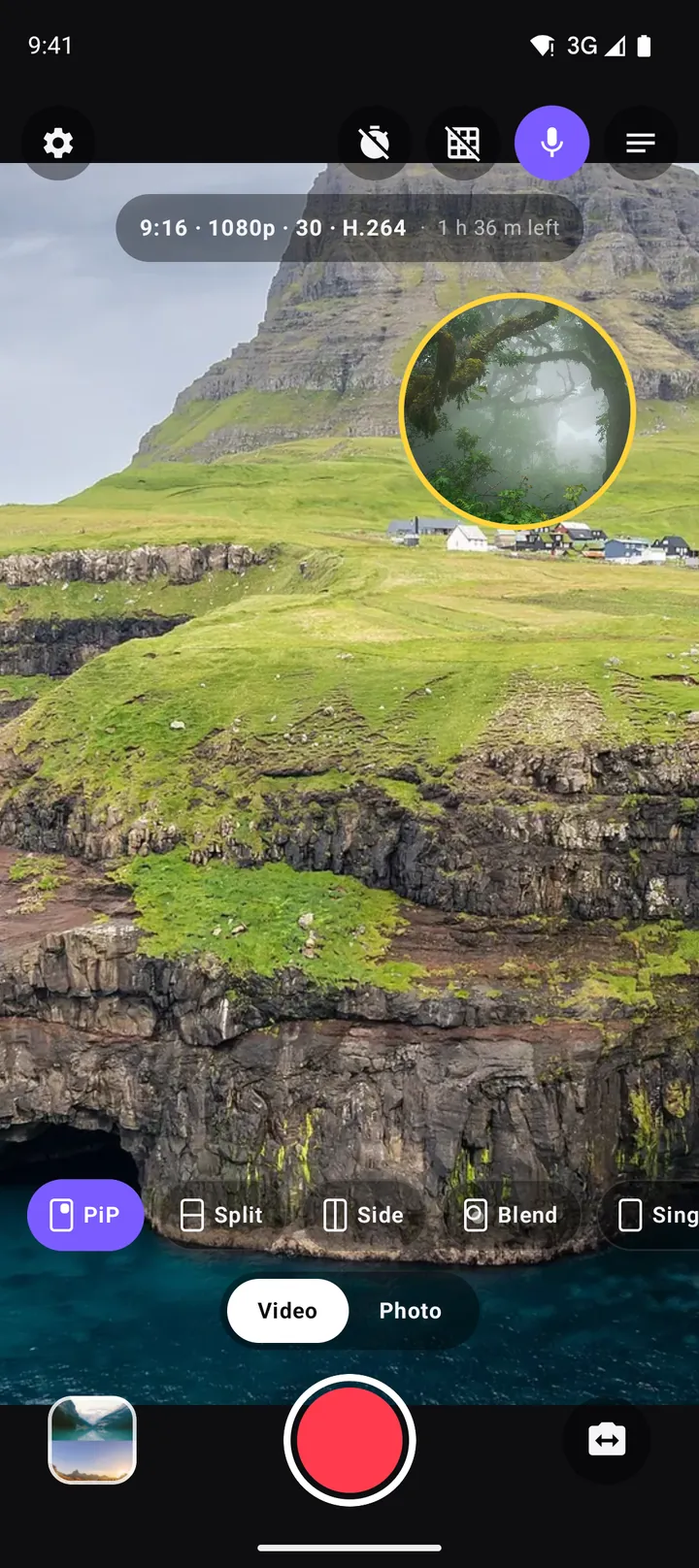
Picture-in-picture video on Android: how to record a PiP vlog in one take
How to record picture-in-picture video on Android with both cameras at once: moving and resizing the window, rounded, square and circle shapes, borders, swap, mirror and framing tips.
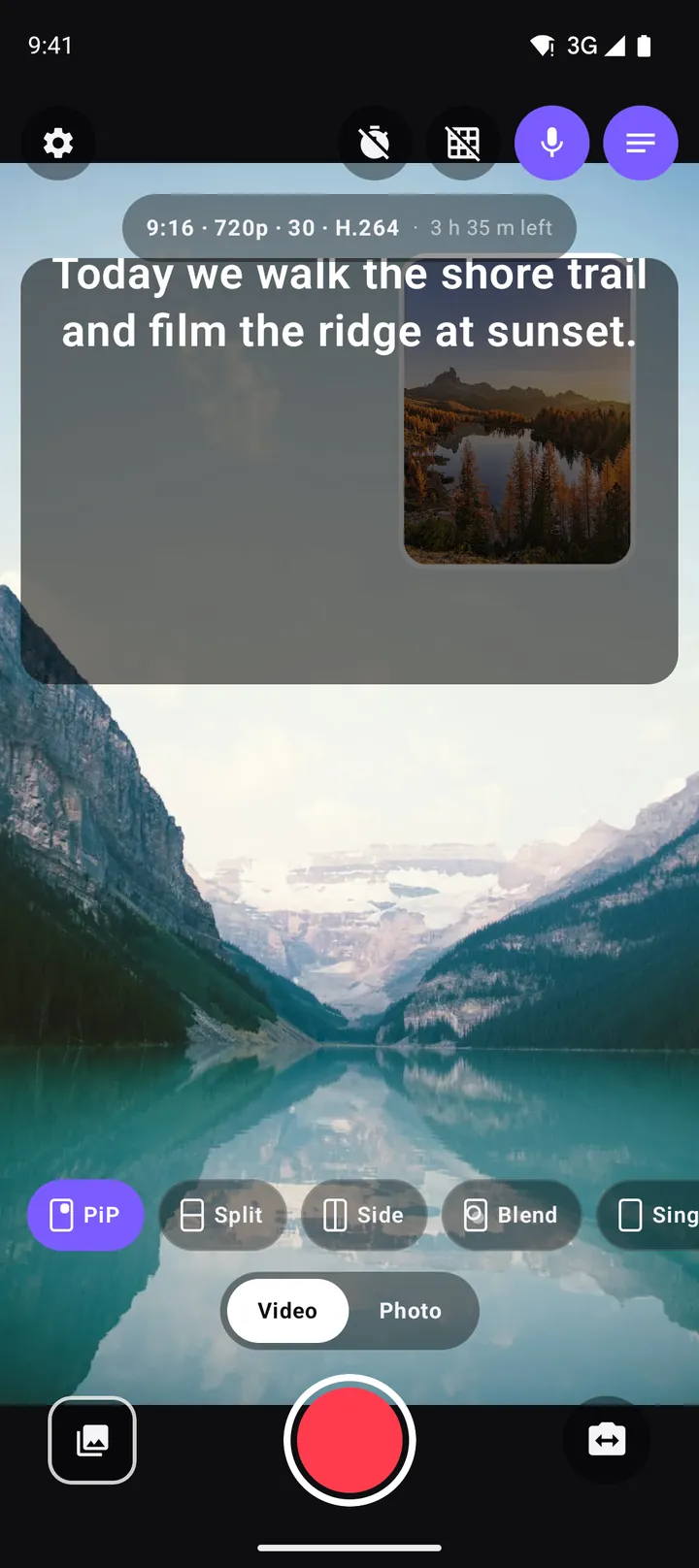
Using a teleprompter on Android: read your script while you record
How to use DuoCam's built-in teleprompter on Android: write a script, set scroll speed and text size, read while you look at the camera, and keep the script out of the recording.
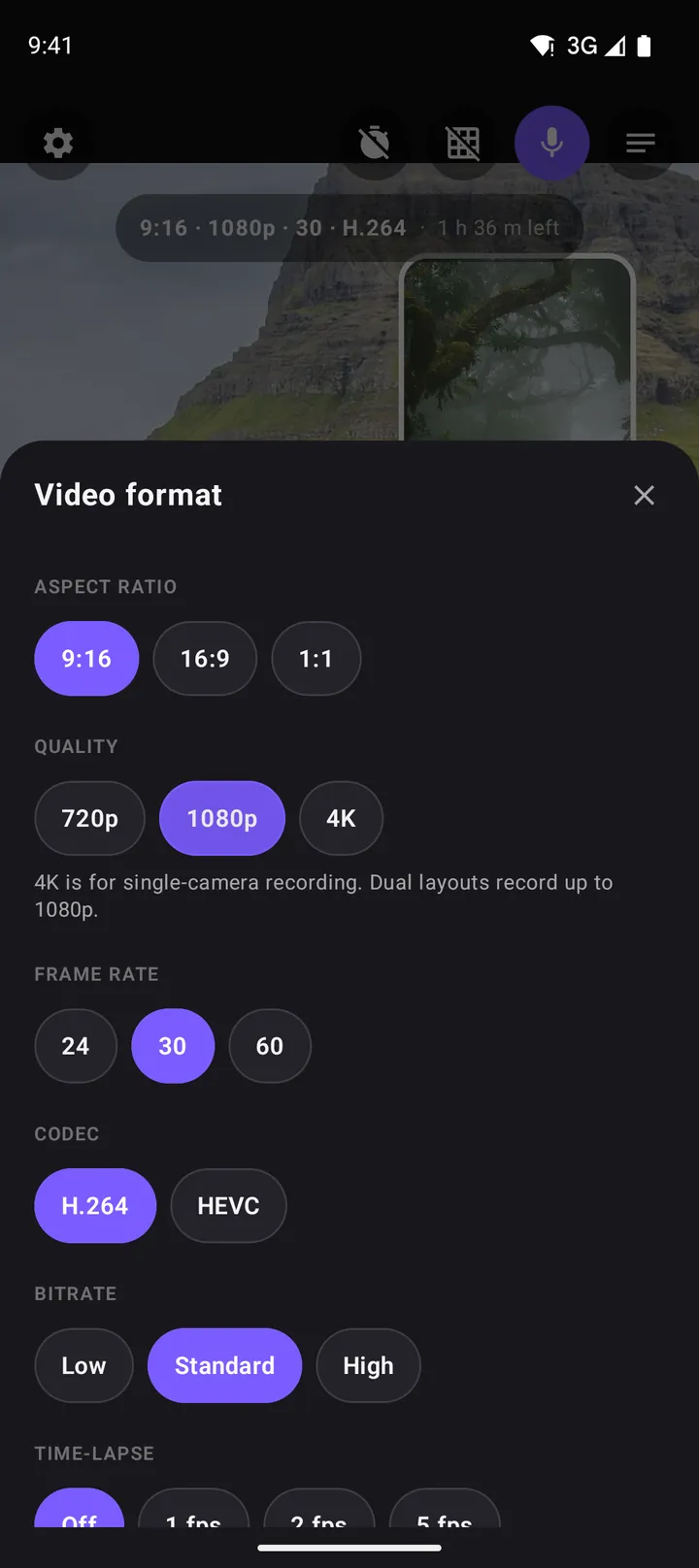
The best video settings for dual camera recording: resolution, frame rate, codec and more
Which aspect ratio, resolution, frame rate, codec and bitrate to choose for dual camera video on Android, plus time-lapse, file sizes, storage and the DuoCam settings that matter.